Satisfactory Server Settings
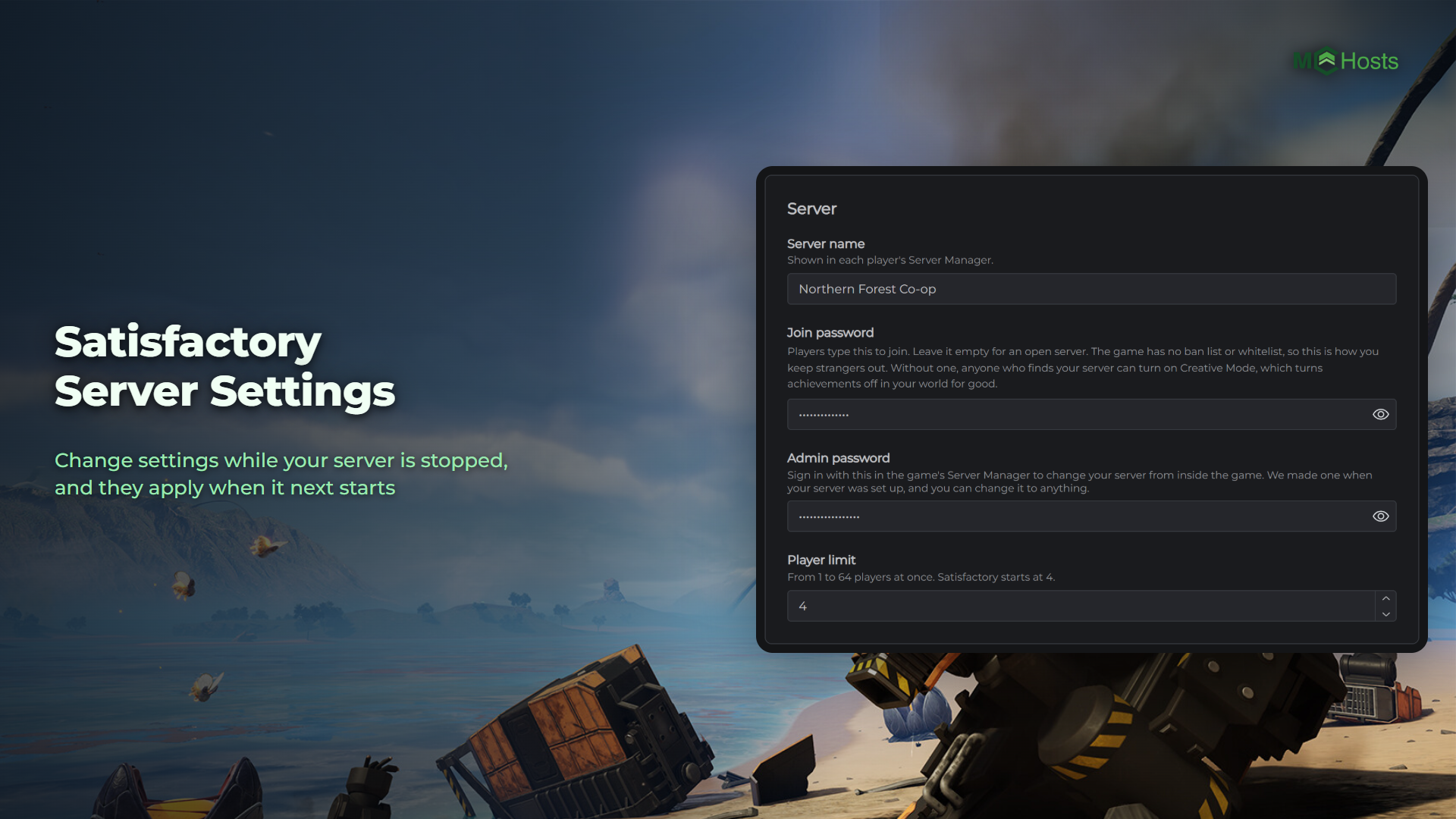
Your Satisfactory server's settings are on the Config tab, and you change them while your server is stopped. Satisfactory writes its settings back when it stops, so a change made while it's running would be lost. Everything you save applies the next time your server starts.
Where the settings are
Open your control panel and click the Config tab. It has five cards, in this order.
World. Your world's name, where a new world starts and the six Game Modes it's made with.
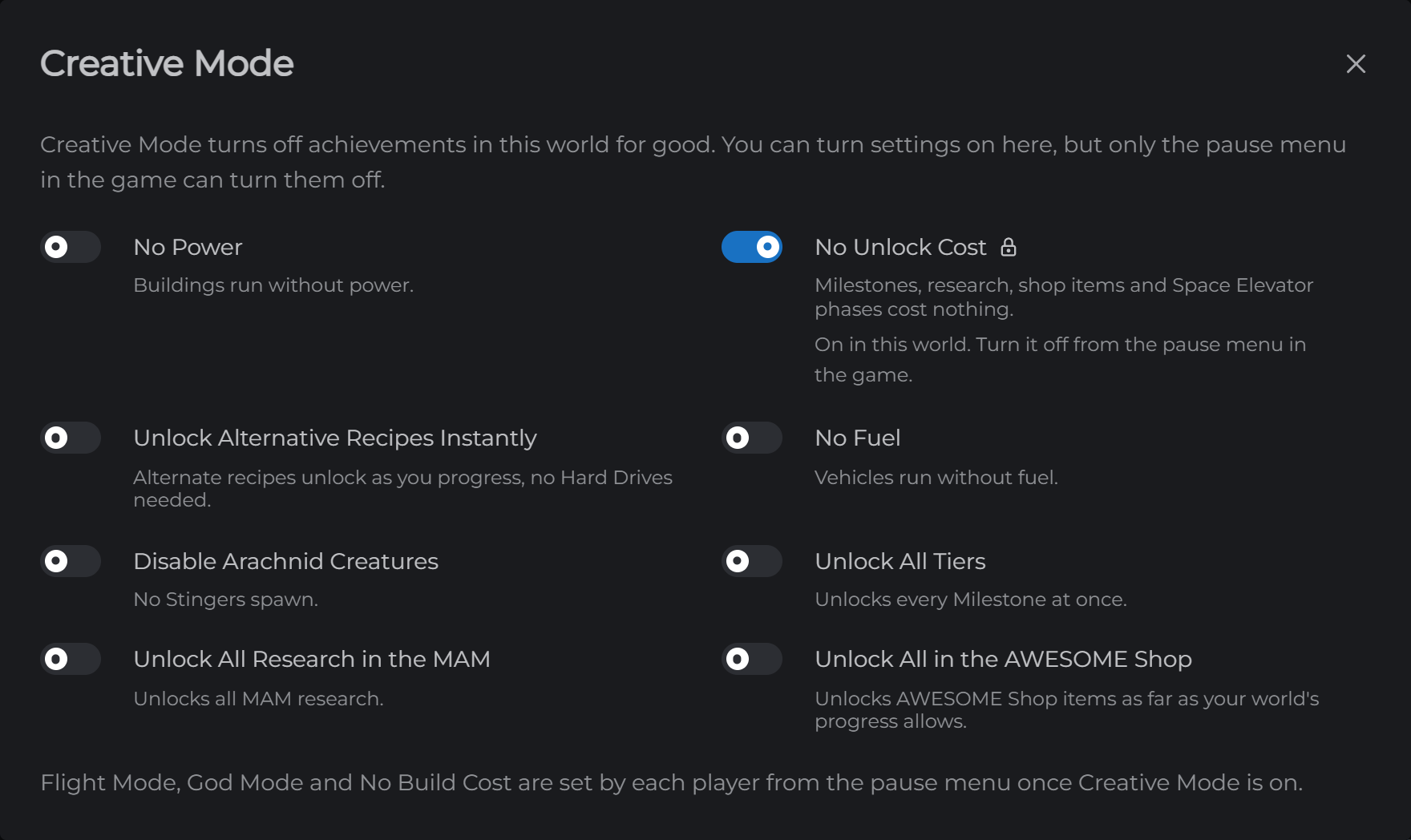
Creative Mode. Whether Creative Mode is on in your world, and a Settings button for its switches.
Server. The server name, the join and admin passwords and the player limit.
Saving. How often your world autosaves, and what happens when players leave.
Branch. The switch for Coffee Stain's Experimental branch.
Changing a setting
- Stop your server from the Overview page
- Open Config, change what you want and click Save
- Start your server
While your server is running, the tab is locked and a note at the top says why.
Creative Mode works a little differently. Each setting is saved the moment you confirm it, with no Save button, and it turns on the next time your server starts.
The World card
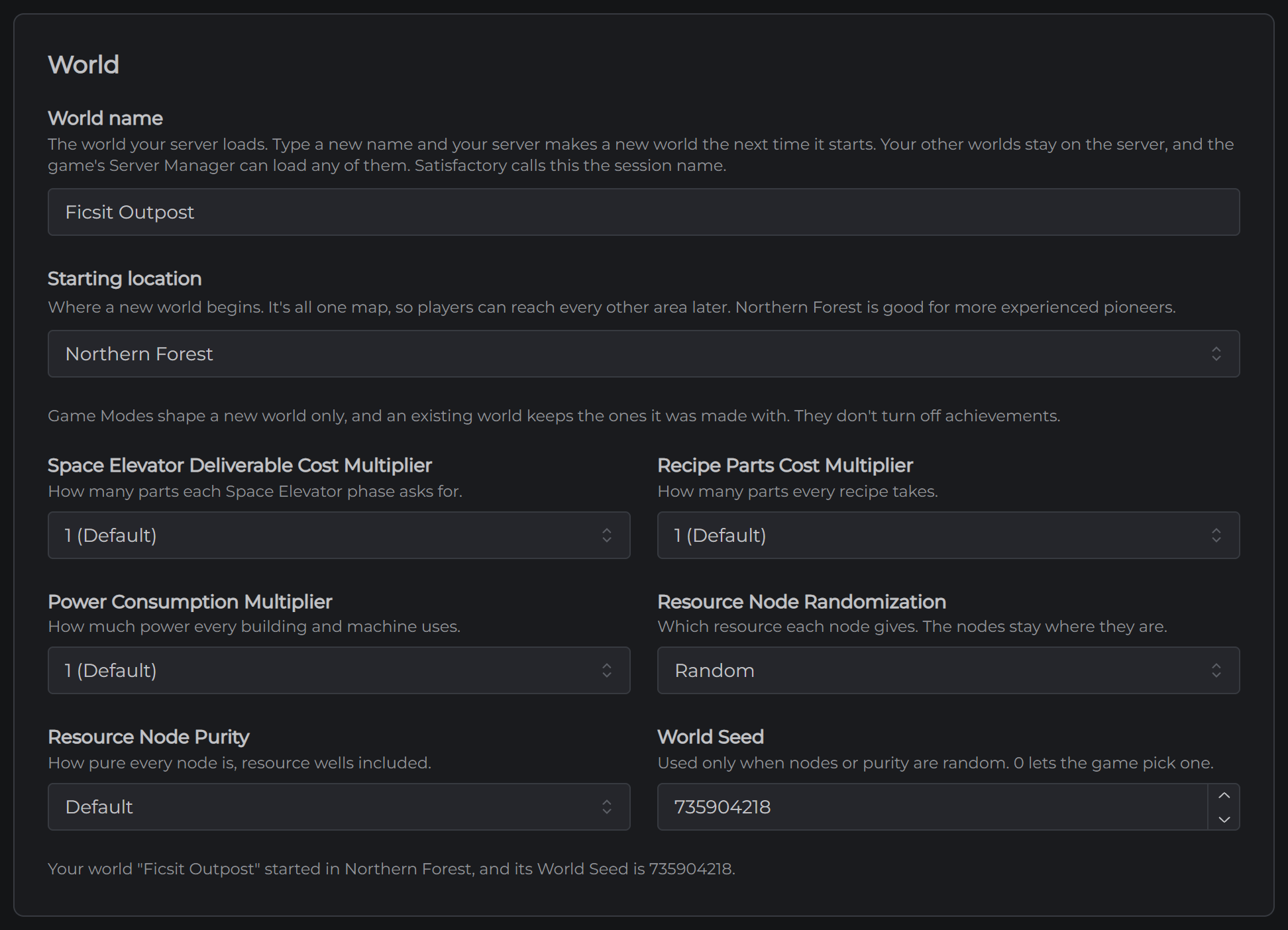
World name is the world your server loads, which Satisfactory calls the session name. Type a new name and save it, and the next time your server starts it makes a new world with that name. Your other worlds stay on the server, and an admin can load any of them from the game's Server Manager.
A new world can't take the name of one that's already on your server, because it would write over that world's latest save.
Starting location is where a new world begins. You picked one at checkout for your first world, and this is where you choose from then on. It's all one map, so players can reach the other areas later.
Game Modes are the six settings under that. The three multipliers set how many parts the Space Elevator and every recipe ask for, and how much power buildings use. Resource Node Randomization and Resource Node Purity change which resource each node gives and how pure it is. The World Seed only matters when nodes or purity are random, and 0 lets the game pick one.
The starting location and the Game Modes shape a new world only. A world keeps the ones it was made with for good, so set them when you type a new world name. Game Modes don't turn off achievements.
The line at the bottom of the card says where your world started and its World Seed. Once you've saved a new world name, the line also says which world your server makes next. The console tells you when it's made.
Creative Mode
The Creative Mode card says whether Creative Mode is on in your world. Click Settings to see the eight settings your server can turn on for the whole world:
- No Power
- No Unlock Cost
- Unlock Alternative Recipes Instantly
- No Fuel
- Disable Arachnid Creatures
- Unlock All Tiers
- Unlock All Research in the MAM
- Unlock All in the AWESOME Shop
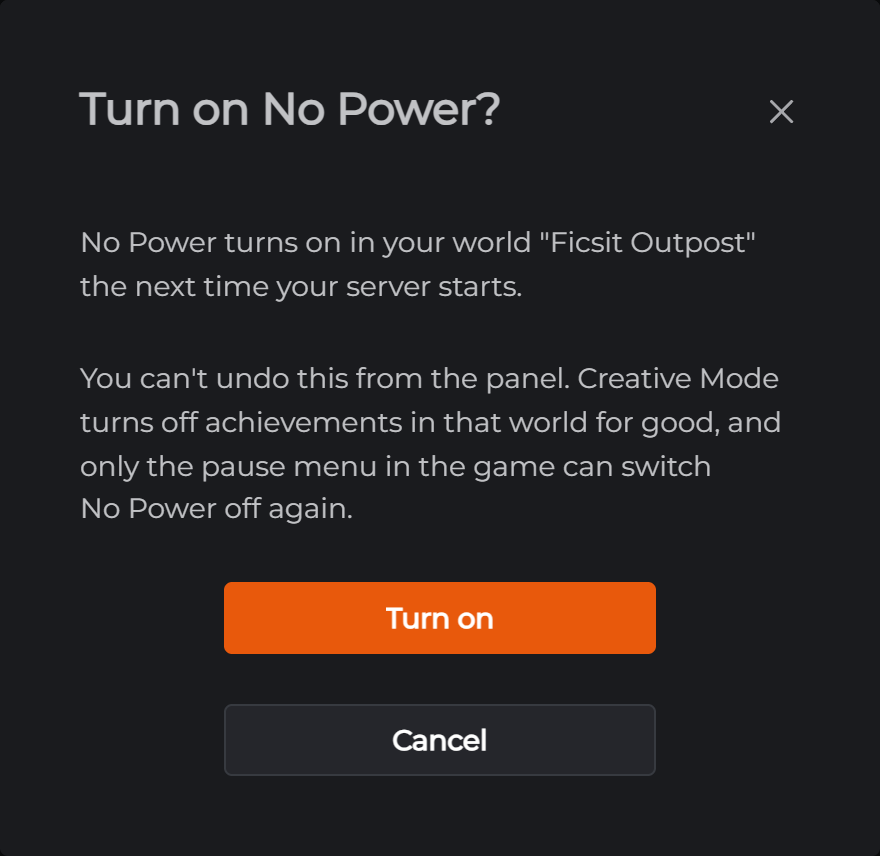
You turn them on while your server is stopped, like everything else on this tab. Each one asks you to confirm first. Creative Mode turns achievements off in your world for good, and your control panel cannot undo it. Once you confirm, the setting turns on the next time your server starts.
A setting that's on shows a lock beside its name. Only the pause menu in the game can switch it off again. Switching Unlock All Tiers off doesn't take anything back, though. Every Milestone it unlocked stays unlocked.
Flight Mode, God Mode and No Build Cost aren't in the list. The game keeps those for each player, so once Creative Mode is on, each player sets them for themselves from the pause menu.
If you've saved a new world name and your server hasn't made that world yet, a setting you turn on goes to the new world. The confirmation names the world it's going to.
The Server card
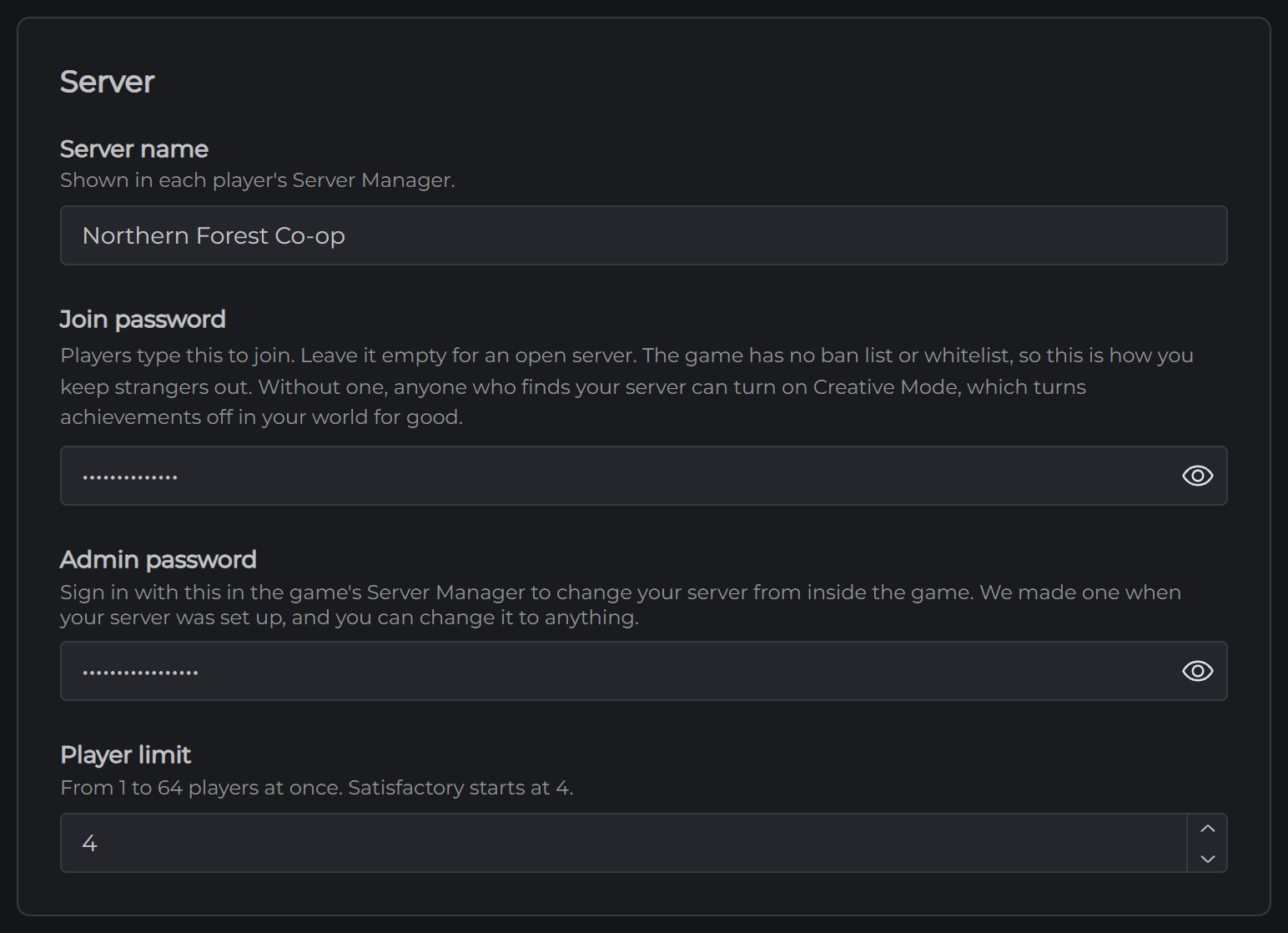
Server name is what players see in their Server Manager.
Join password is empty on a new server, which lets anyone with your address and port join. Satisfactory has no ban list or whitelist, so this is how you keep strangers out. It also stops a stranger switching on Creative Mode in your world, which would turn its achievements off for good. Set one.
Admin password is how you sign in to your server from the game's Server Manager. We made one when your server was set up, so nobody else could claim it first, and you can change it to anything. It can't be empty, and it can't be the same as the join password.
Player limit can be anything from 1 to 64. Satisfactory starts at 4.
You can change the name and the passwords from the game's Server Manager too. A name changed there shows up on this tab, but a password doesn't, and the tab keeps showing the old one until you save a new one.
The Saving card
Autosave every (minutes) is 5 on a new server, which is Satisfactory's own default. It takes anything from 1 to 120.
Save when a player leaves is on, so the world is saved each time somebody leaves.
Pause when nobody is on is on as well. The factory stops when the last player leaves and starts again when somebody joins. Turn it off to keep the factory running overnight.
Your server also saves before every stop and restart, because Satisfactory doesn't save by itself when a server shuts down.
The Experimental branch
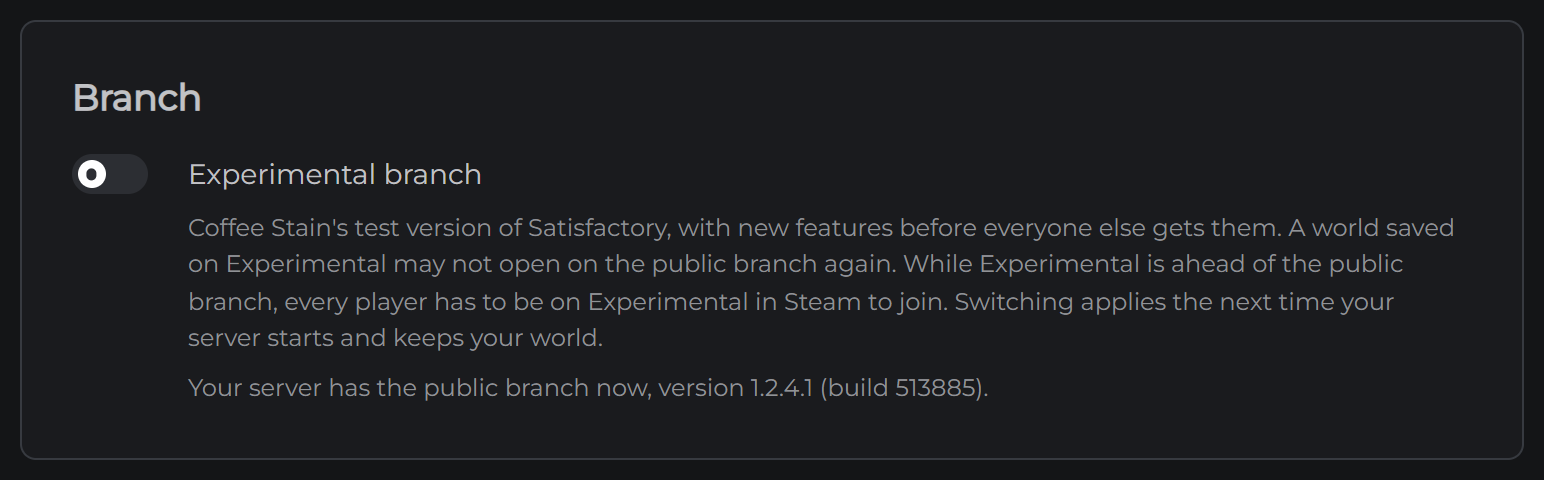
Your server runs the public version of Satisfactory. The switch in the Branch card moves it to Experimental, Coffee Stain's test version, which gets new features before everyone else.
- Stop your server
- Turn on Experimental branch and click Save
- Start your server
It downloads the Experimental version as it starts and keeps your world. Switching back works the same way. The line under the switch says which branch and version your server has now.
A world saved on Experimental may not open on the public version again. Take a backup before you switch if you might want to go back.
While Experimental is ahead of the public version, every player has to be on Experimental in Steam to join. When the two are on the same version, anyone can join.
Commands from the panel
The Console tab sends commands to your running server. Type save to save the world right now, or players to see who's on. Anything else goes to the game's own server console, and its answer shows underneath.
Everything else
Your saves are on the Files tab, in satisfactory/.config/Epic/FactoryGame/Saved/SaveGames/server. You can download one from there, or upload a .sav from your own computer and load it from the game's Server Manager. Loading a save doesn't save the world you're leaving, so type save on the Console tab first.
Mods have a tab of their own.
Your server's ports are set by MCHosts and can't be changed.
Next: Connecting to Your Satisfactory Server