Valheim Server Settings
Valheim has no settings file of its own, so your control panel keeps one for it and turns it into the server's launch options every time it starts. Here's what you can change and what each setting does.
Where the settings are
Open your control panel and click the Config tab. The settings are grouped into four sections.
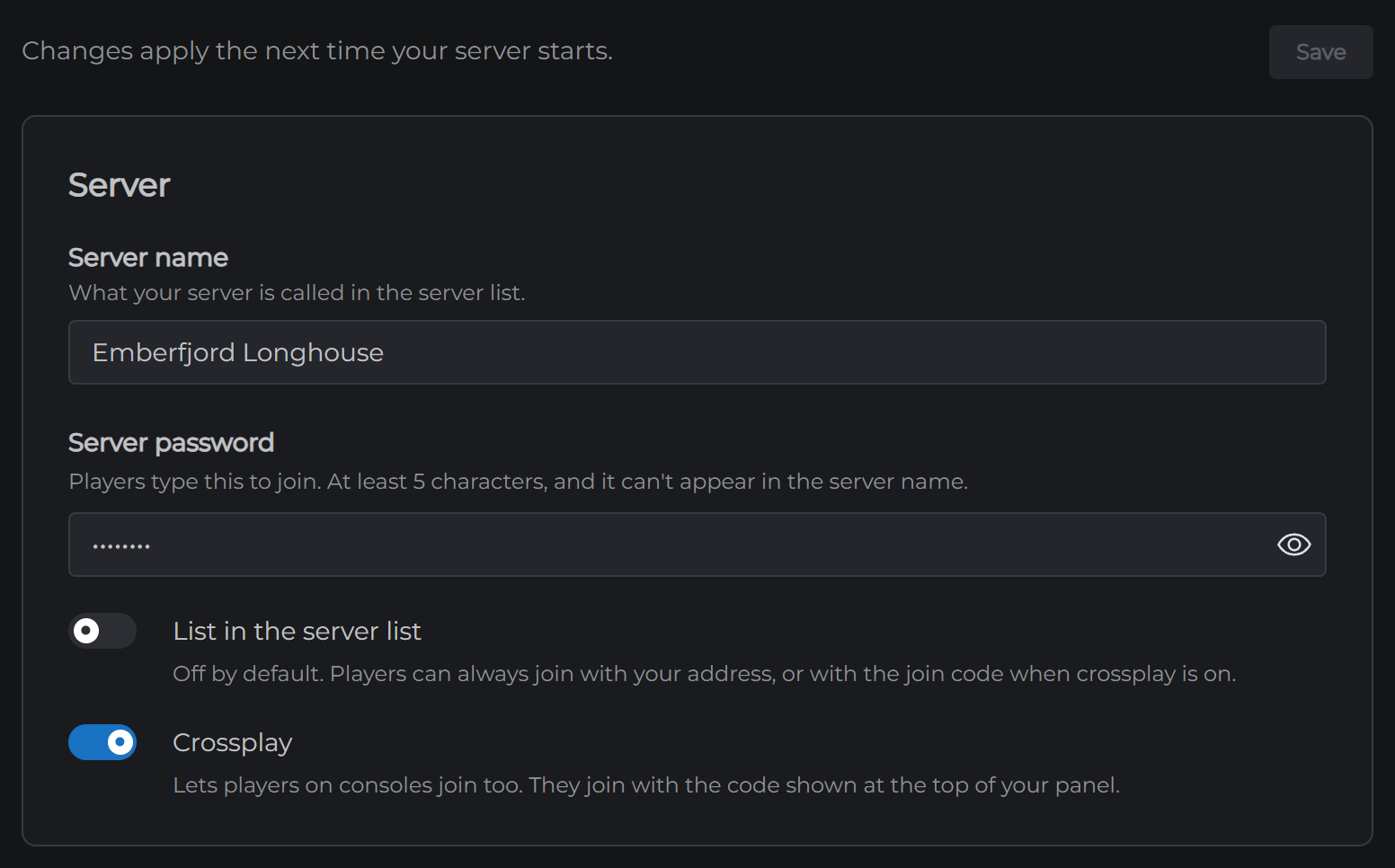
Server. Your server name, the password, whether it's listed in the in-game server list, and crossplay.
World. Which world your server loads, and how often it saves.
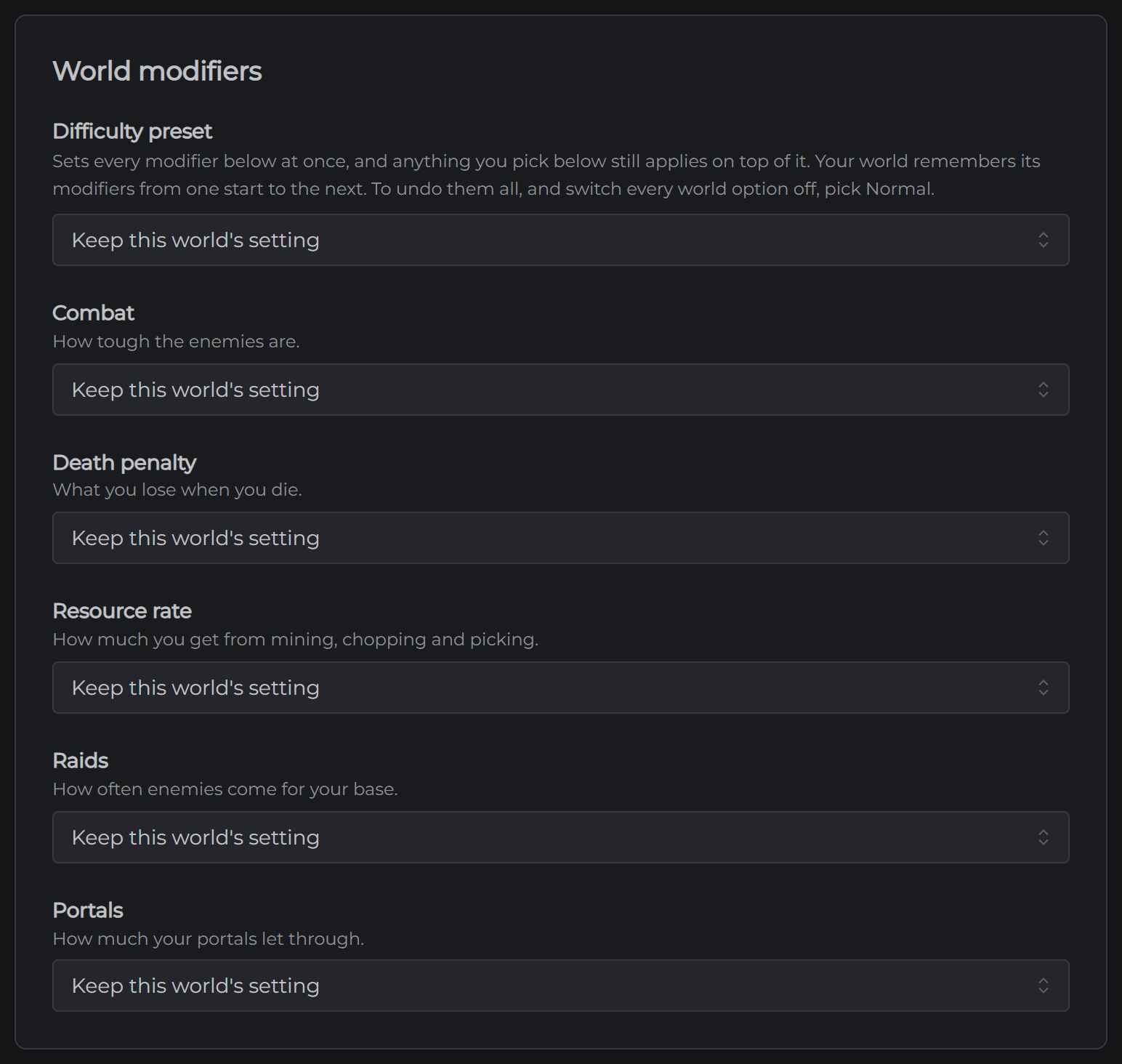
World modifiers. A difficulty preset, plus combat, death penalty, resource rate, raids and portals.
World options. No build cost, player based raids, passive enemies and no map.
Changing a setting
- Open Config
- Change what you want
- Click Save
Your server reads these when it starts, so a change does nothing until you restart. Restart it from the Overview page and it comes back with what you saved.
The settings worth knowing about
Server password is required. It needs at least 5 characters, and it can't appear in your server name, because the server list shows the name to everyone. Your server came with one already set.
List in the server list is off by default. Your players can always join with your address, so only turn it on if you want strangers finding you.
Crossplay is on by default. It lets players on console join with a code, which shows at the top of your control panel once your server has started. The code can change when your server restarts, so check it before you send it out.
World is the name of the world your server loads. Type a new name to start a new world. Your other worlds aren't deleted. They stay in the worlds_local folder, so you can switch back by typing the old name.
Save every is how often the world is written to disk, in seconds. The default is 1800, which is 30 minutes. Your server also saves when it stops, so a restart doesn't lose anything.
World modifiers stay with the world
This is the part of Valheim that catches people out. A world remembers its modifiers. Once your world has been on Hard, it stays on Hard even if you empty the setting, because leaving a setting empty tells the server to keep what the world already has. That's why the empty choice in each list is called Keep this world's setting.
The World options work the same way. Once one is on, the world keeps it on.
To undo everything, set Difficulty preset to Normal and restart. That resets every modifier and turns every world option off in one go. Then pick the ones you want again.
Admins, bans and who can join
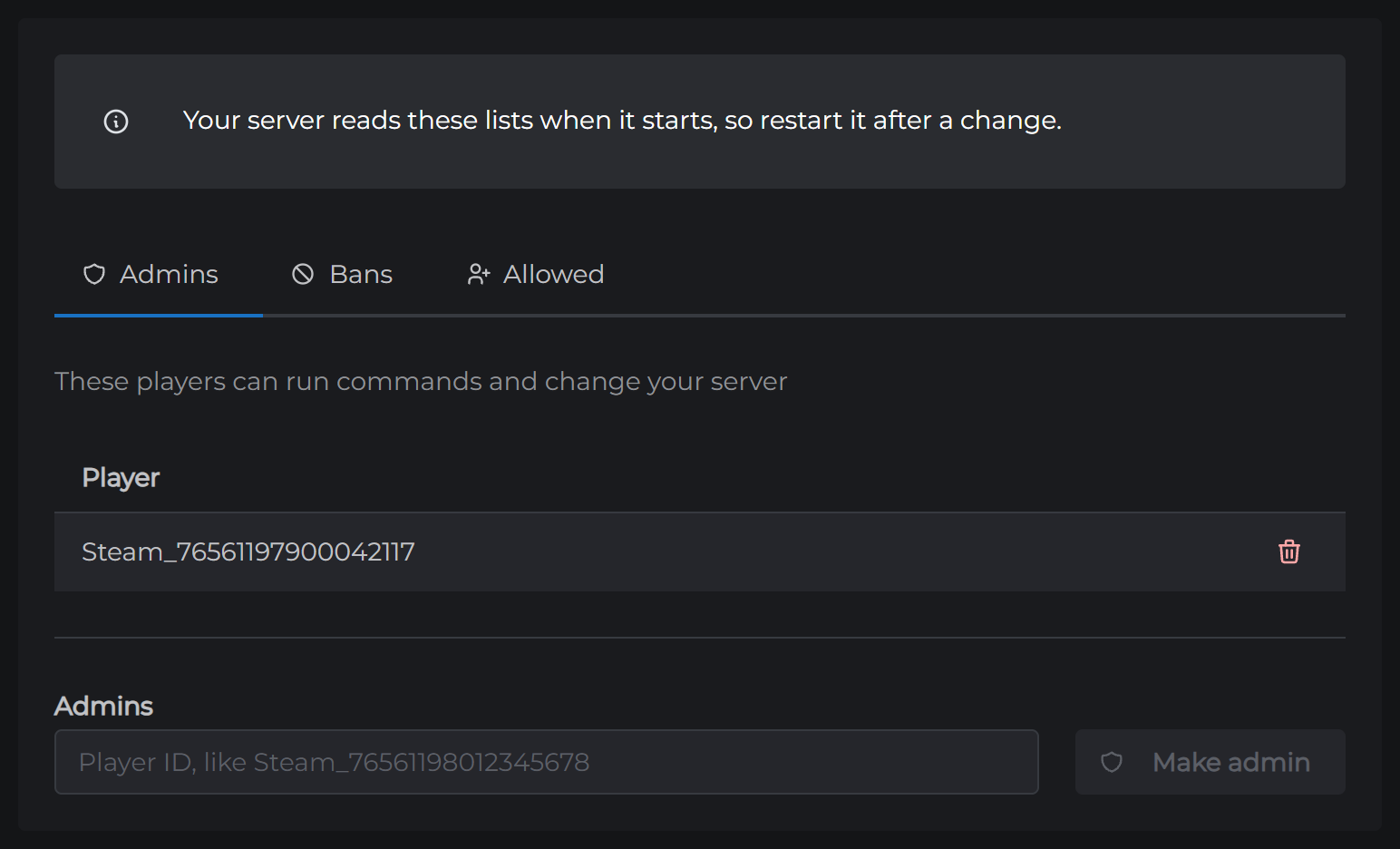
These are on the Players tab, in three lists.
Admins can kick and ban players from inside the game, using Valheim's own console. It opens with the F5 key, and on Steam it needs the -console launch option first. Bans can't join at all. Allowed is a guest list. Add one person to it and everyone not on it is locked out, so leave it empty unless you mean that.
Each list takes a player's ID rather than their name. Your players can find theirs in game in the F2 panel, and it needs to go in exactly as it shows there, capitals and all. Your server reads these lists when it starts, so you can change them with it stopped as well.
What you can't change here
Your port. It's set by MCHosts and it's what your server's address points at, so changing it would make your server unreachable.
Mods. They have their own tab. See How to Install Valheim Mods.
The settings file
Everything on the form is saved to server.cfg, which you can open in the Files tab. Each setting is one line, with a note above it explaining what it does. You can edit it there instead if you prefer, and anything you change by hand is kept when you save the form. Restart your server afterwards.
Next: How to Install Valheim Mods