Renaming Your Server
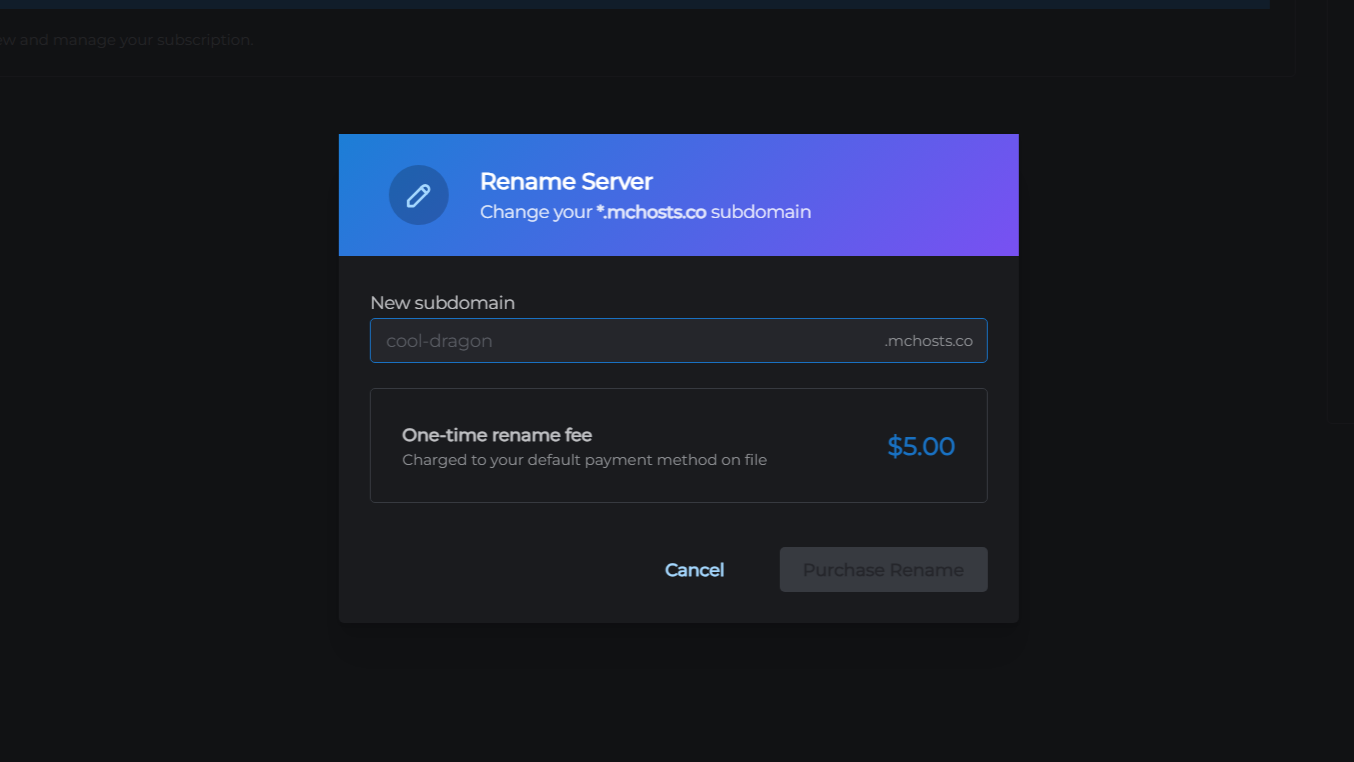
You can change your server's *.mchosts.co address at any time for a one-time fee.
What changes
Your server address changes immediately - for example, from old-name.mchosts.co to new-name.mchosts.co. Players already connected stay online until they disconnect. New connections use the new address straight away, though DNS can take up to 5 minutes to update for all players.
Your world, files, settings, and player data are not affected. The server does not restart.
How to rename
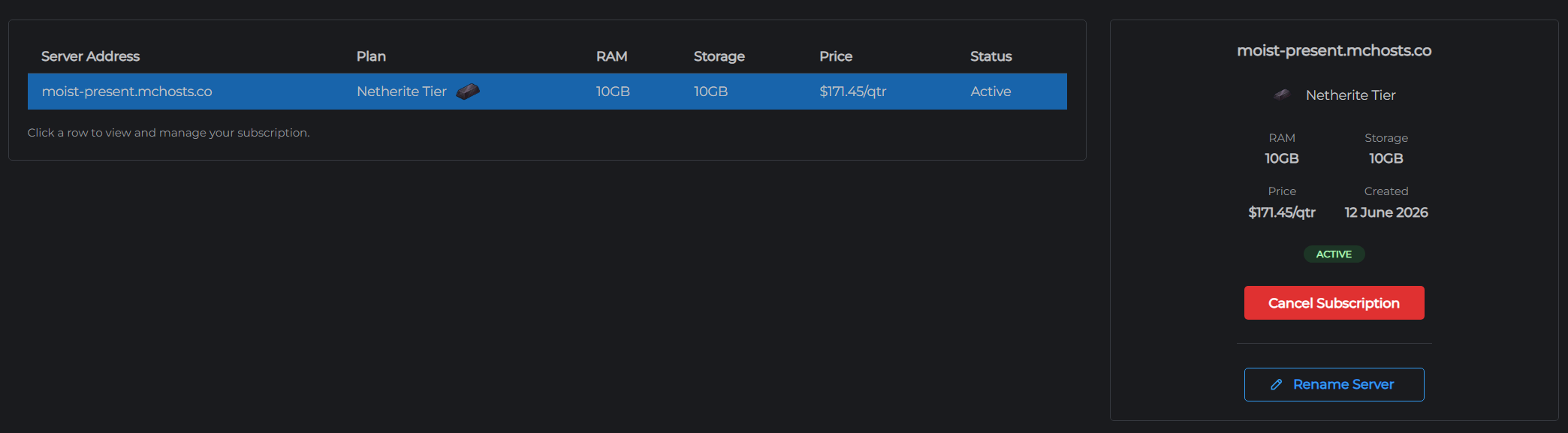
- Go to mchosts.com.au/user-settings and open the Manage tab
- Click Rename Server next to the server you want to rename
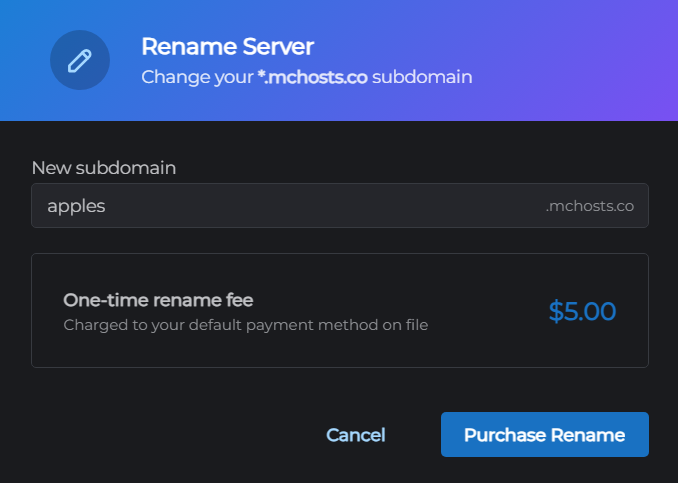
- Type your new subdomain in the input field - this is the part before
.mchosts.co - Click Confirm Rename
Your card on file is charged the rename fee. Once the payment goes through, your server address updates instantly.
Subdomain rules
- 3 to 32 characters
- Lowercase letters, numbers, and hyphens only
- Cannot start or end with a hyphen
- Must be unique - if the subdomain is already taken, you will see an error before any charge is made
- Certain names are reserved and cannot be used - this includes brand names, server software names, country names, admin terms, and anything containing "mchosts" or "minecraft"
Payment
The rename fee is taken from your default payment method. If no card is saved, you will be asked to add one before the rename goes through.
This is a one-time charge - it does not affect your monthly subscription.
After renaming
Update anywhere you have shared your server address:
- Tell your players the new address
- Update any server list entries
- If you use a custom domain, update your CNAME record to point to your new
*.mchosts.coaddress - the old address is removed from DNS when you rename
Frequently asked questions
Can I rename back to my old address? Yes, as long as the old subdomain has not been claimed by another server in the meantime. Each rename is a separate charge.
What if the payment goes through but the rename does not appear? Contact support with your payment reference number (shown in the error message) and we will resolve it for you.
Can I rename more than once? Yes, there is no limit. Each rename is a separate charge.