Player Management
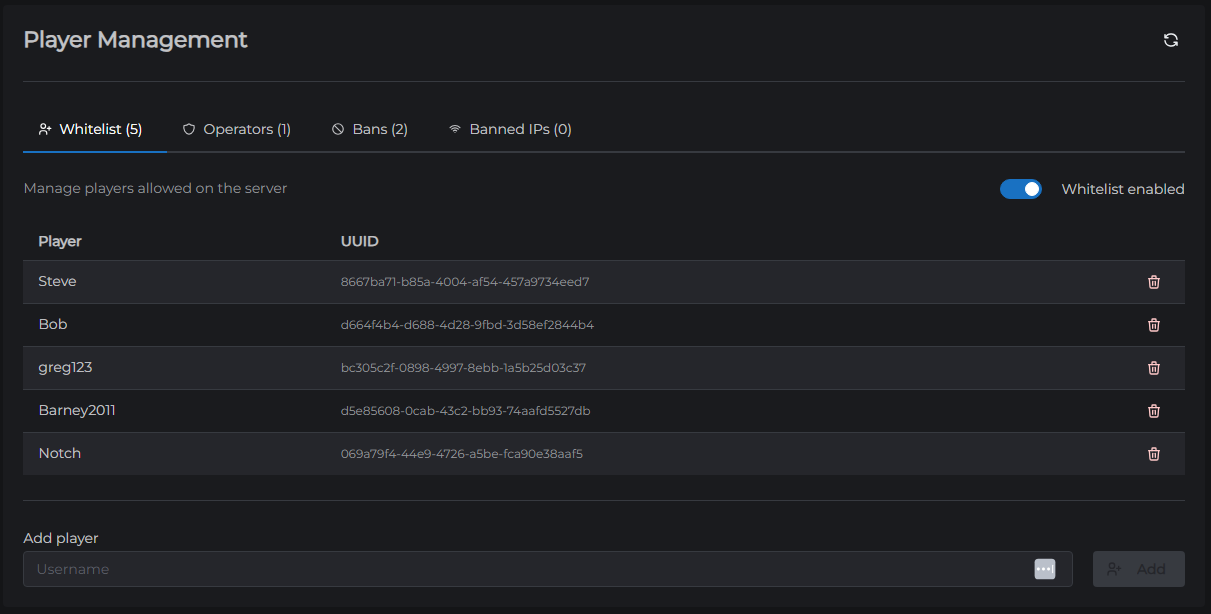
The Players tab lets you manage who can join your server, who has operator permissions, and who is banned. Changes take effect immediately - no restart required.
Tabs
Whitelist
The whitelist controls which players are allowed to join when the whitelist is enabled.
| Action | How |
|---|---|
| Add a player | Type their Minecraft username → click Add |
| Remove a player | Click the trash icon next to their name |
Important: Adding a player to the whitelist does nothing unless the whitelist itself is turned on. Toggle Enable Whitelist at the top of this tab to activate it.
Ops
Operators (ops) can run elevated in-game commands such as /gamemode, /tp, /give, and /ban. The Ops tab shows each operator's UUID, username, op level, and whether they bypass the player limit.
| Action | How |
|---|---|
| Add an operator | Type their Minecraft username → click Add |
| Remove an operator | Click the trash icon next to their name |
Op levels:
- Level 1 - Can bypass spawn protection
- Level 2 - Can use most commands (default for new ops)
- Level 3 - Can use more commands including
/difficulty,/gamemode - Level 4 - Can use
/stop,/ban,/kick, and all other commands
Bans
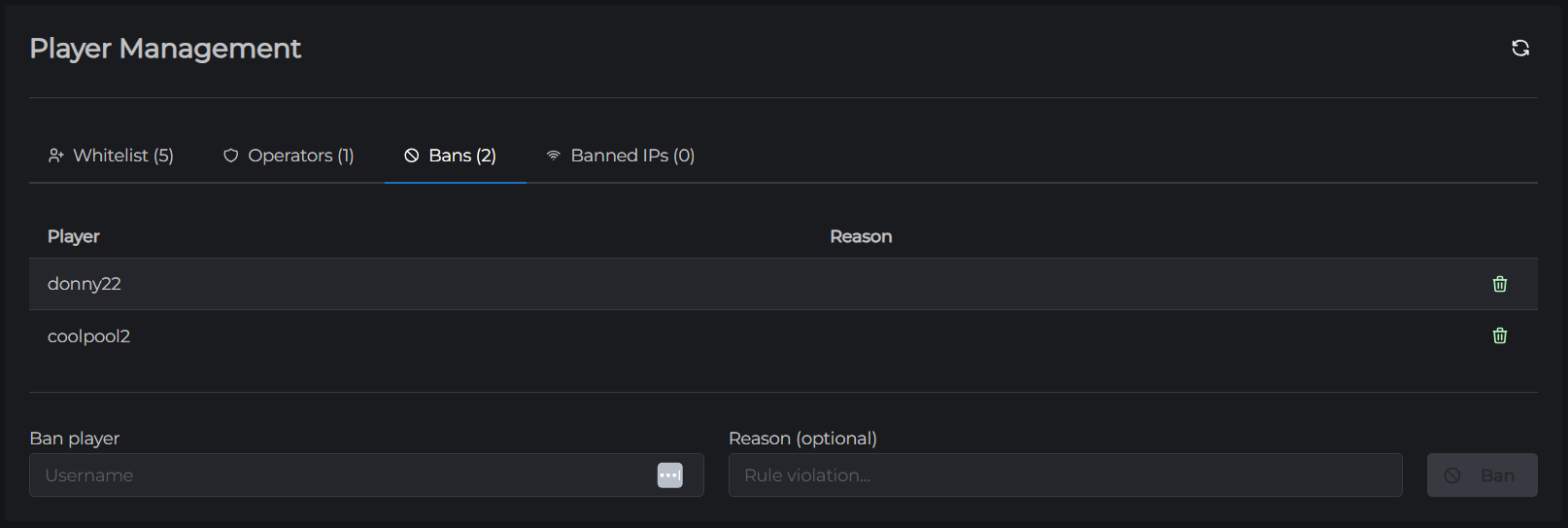
The Bans tab lists players who have been banned from the server. Banned players see "You have been banned from this server" when they try to connect.
| Action | How |
|---|---|
| Ban a player | Type their username, optionally add a reason → click Add |
| Unban a player | Click the trash icon next to their name |
The ban list shows the player's UUID, name, when the ban was created, who issued it, expiry (if temporary), and the reason.
Banned IPs
The Banned IPs tab blocks connections from specific IP addresses, regardless of which account is being used. Useful for dealing with players who create new accounts to get around a name ban.
| Action | How |
|---|---|
| Ban an IP | Enter the IP address, optionally add a reason → click Add |
| Unban an IP | Click the trash icon next to the entry |
← File Manager | Next: Server Properties →