How to Install Terraria Mods
Mods add bosses, biomes, weapons, whole progression paths and quality of life fixes to a Terraria server. You install them from the control panel, and your players get them automatically when they join.
Before you start
Mods need tModLoader. Terraria itself has no mod support, so a server running plain Terraria shows you that on the Mods tab and points you at the switch. See Choosing between Terraria and tModLoader first, and be aware that switching starts your world over.
Everyone who plays also needs tModLoader open rather than Terraria. They do not need to install the mods themselves.
Find a mod
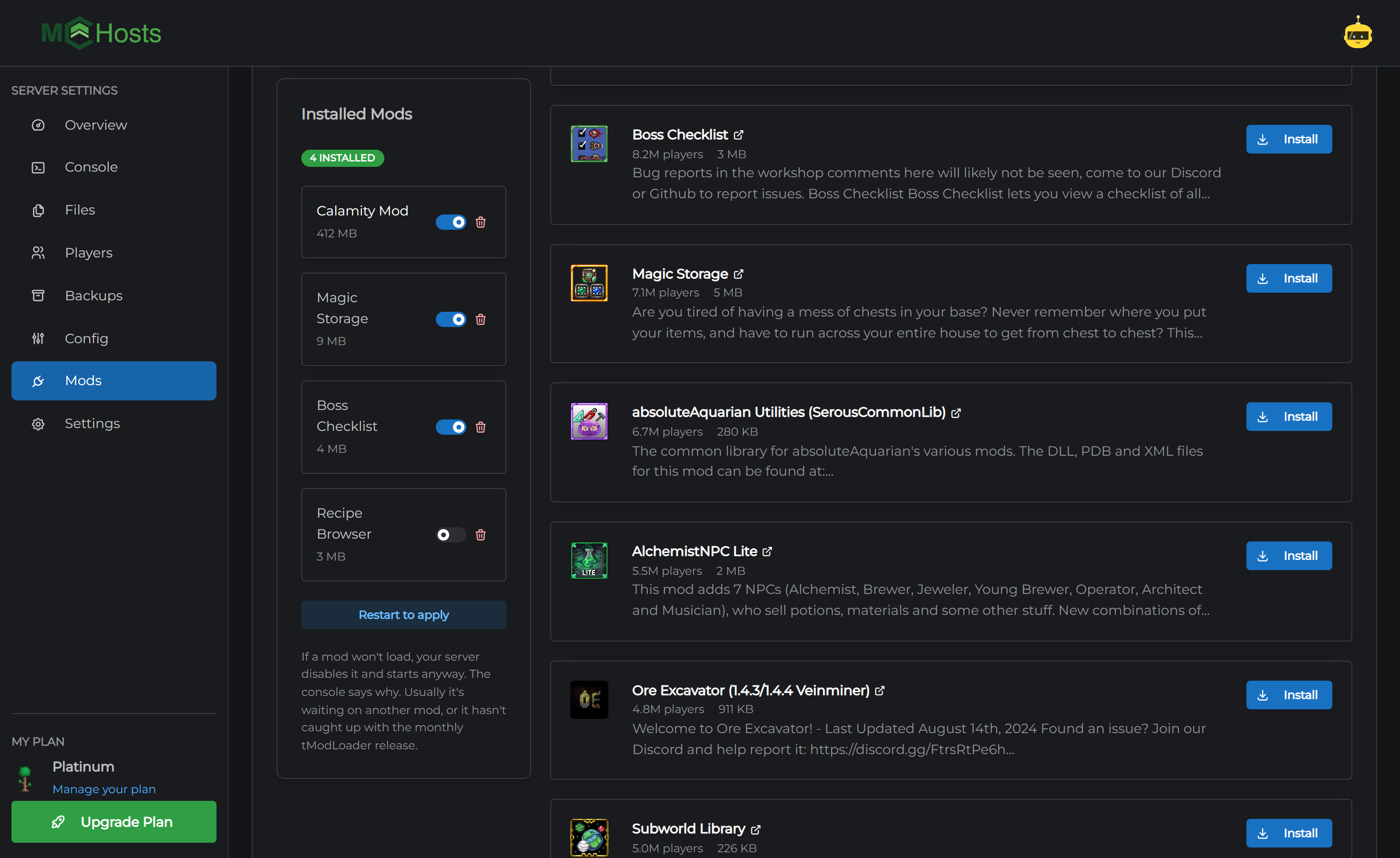
Open your control panel, click Mods, and you land on Browse & Install.
There are two ways to find something, and the same box does both.
Search the Workshop. Type what you are after. The filter on the left sorts the results and narrows them by category, so if you want a big content mod, pick that category and sort by popular.
Paste a link. If a friend sent you a Steam Workshop page, paste the link straight in. The panel works out which mod it is.
Install it
- Click Install on the mod you want
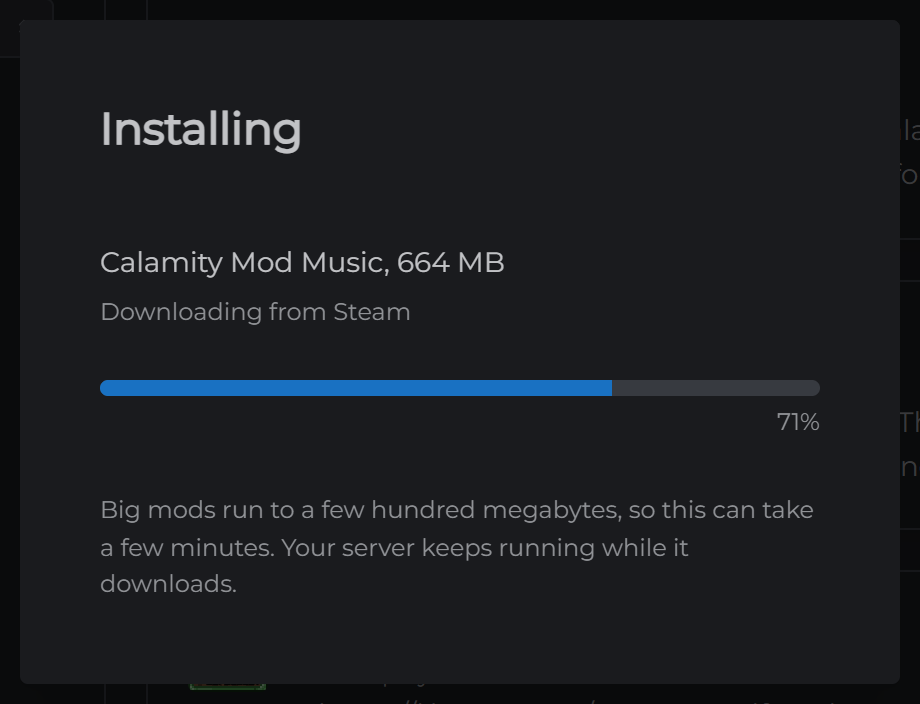
- The panel tells you how big the download is before it starts
- Wait for it to finish. Your server keeps running while it downloads
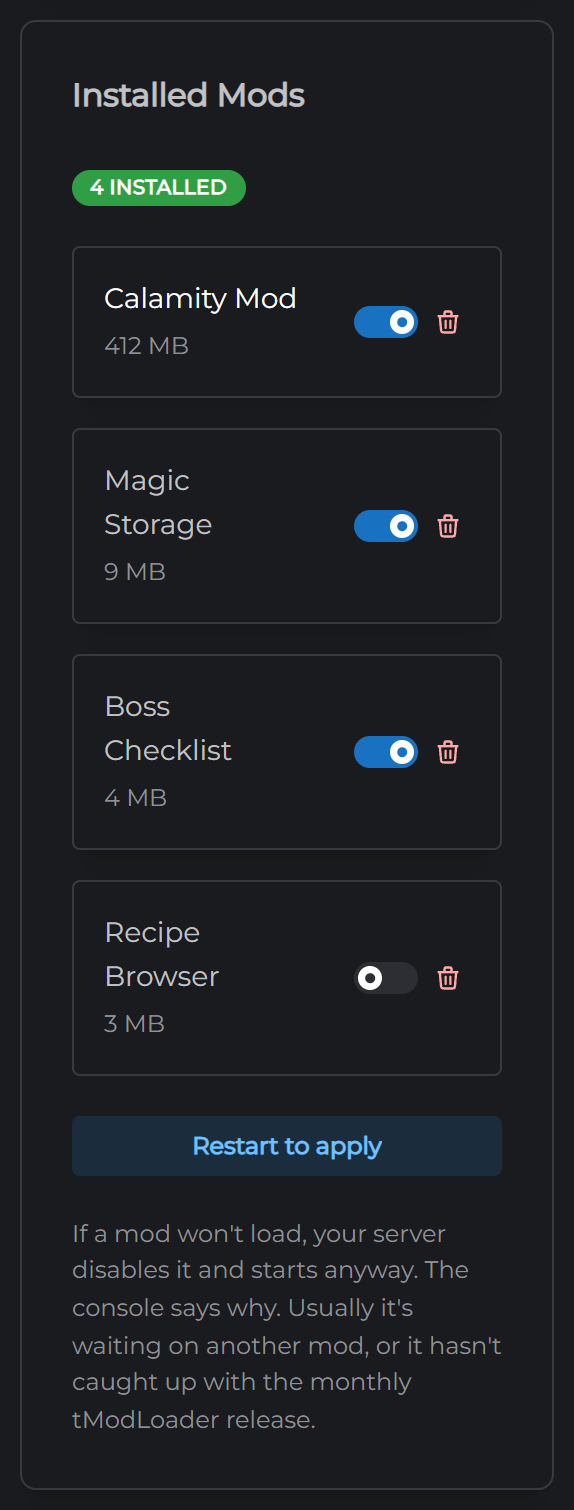
- Click Restart to apply under the installed list
Mods load when the server starts, so nothing changes until that restart.
Installing a whole modpack
Paste a Steam Workshop collection link and the panel opens it up and offers you every mod inside it. That is how most Terraria modpacks are shared, so this is usually the fastest way to set up a modded server.
Big collections are a big download. The panel adds the sizes up first, so you know what you're in for.
Turning mods on and off
Each mod in the installed list has a switch and a bin icon.
The switch turns a mod off without deleting it. Useful when you are working out which one is causing trouble.
The bin removes it for good.
Either one needs a restart to take effect. Anything the mod added to your world stays where it is and may stop working, so take a backup before you remove something you have been playing with.
What your players need to do
Nothing. tModLoader sends your mods to players when they join, so they get exactly what the server runs without going near the Workshop. If the game asks them to accept a download, that is it.
When a mod won't load
Your server disables it and starts anyway, so one bad mod never takes the server down with it. The Console says which one and why as the server starts.
The two usual reasons:
It needs another mod. Some mods are built on top of others. Install the one it names, then restart.
It hasn't caught up. tModLoader gets a release most months, and mods need updating for each one. A mod that worked last month may be waiting on its author.
If a mod still won't load and the console doesn't make it obvious, open a support ticket with the mod's name and we'll take a look.