How to Install Hytale Mods
Mods add weapons, maps, movement, minigames and a lot more to a Hytale server. Hytale sends them to players when they join, so nobody has to install anything on their own PC. This guide covers installing from the control panel, uploading by hand, and what to do when a mod needs another mod.
Before you start
Two things are worth knowing about Hytale mods:
- Mods and Early Plugins are different. A mod adds things to the game. An early plugin loads before the game does, which is how performance tools, save protection and modding frameworks work. Some mods need an early plugin to run, and the control panel installs it for you when they do
- Mods load when the server starts. Installing one changes nothing until you restart
Where they come from: the control panel browses CurseForge, which has by far the most mods, and Modtale, which has some CurseForge does not. Switch between them with the Source control.
Method 1 - Install from the control panel (easiest)
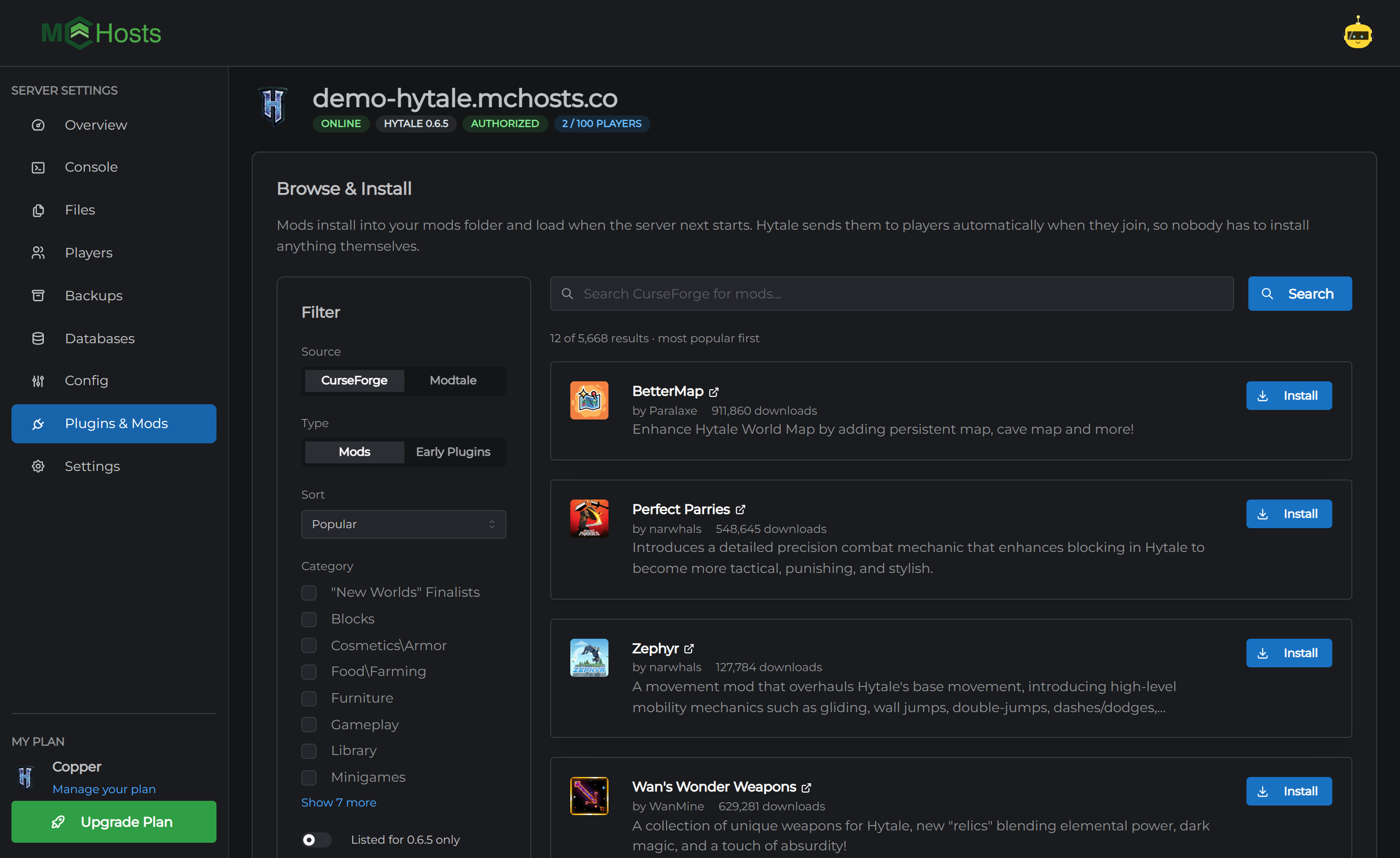
- Open your control panel and click Plugins & Mods
- Type what you are after into the search box, or browse the most popular first
- Click Install next to the one you want
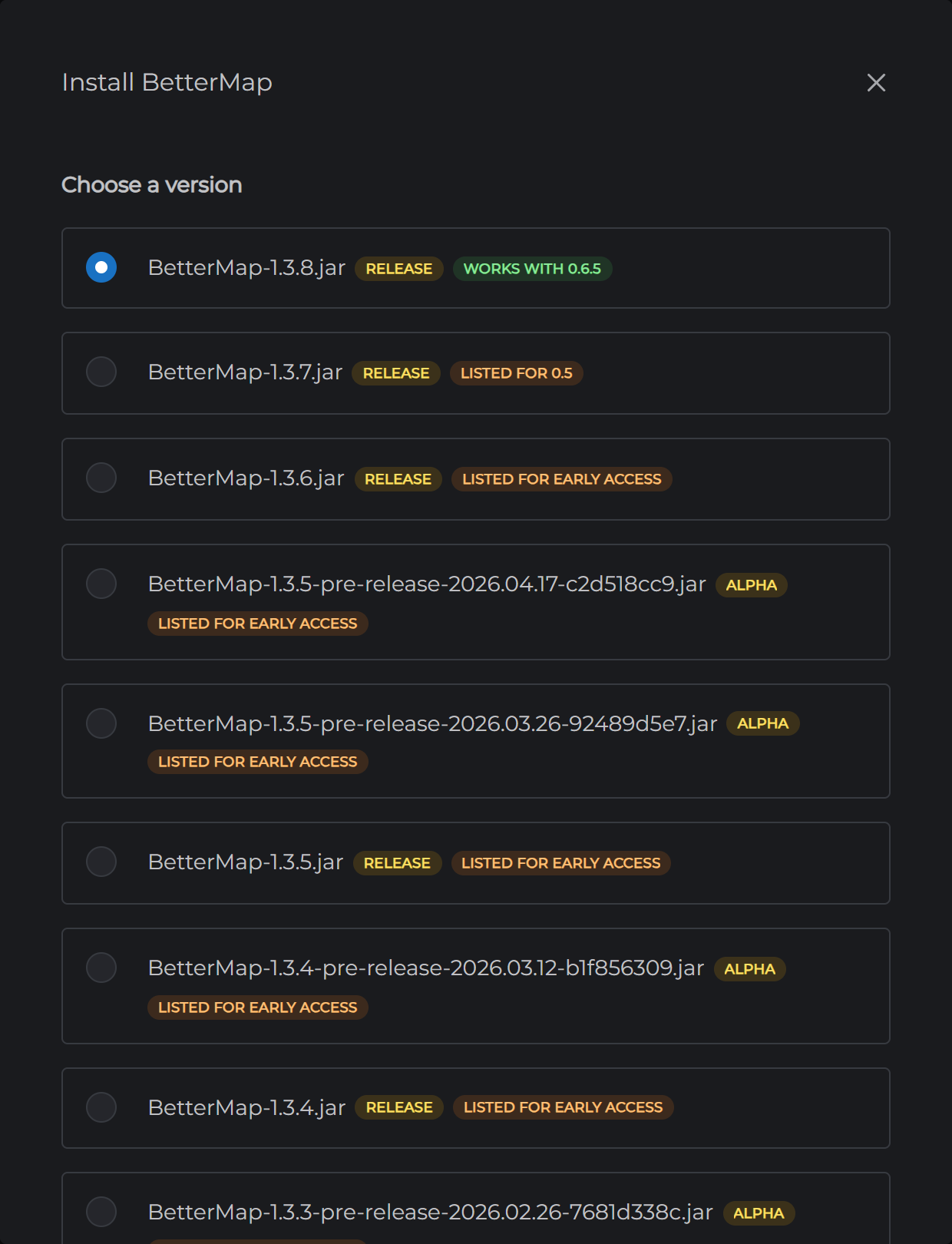
- Choose a version. The newest file the author says works with your Hytale version is picked for you and marked Works with. A file marked Listed for an older version may still work, and No version listed means the author did not say
- Click Install
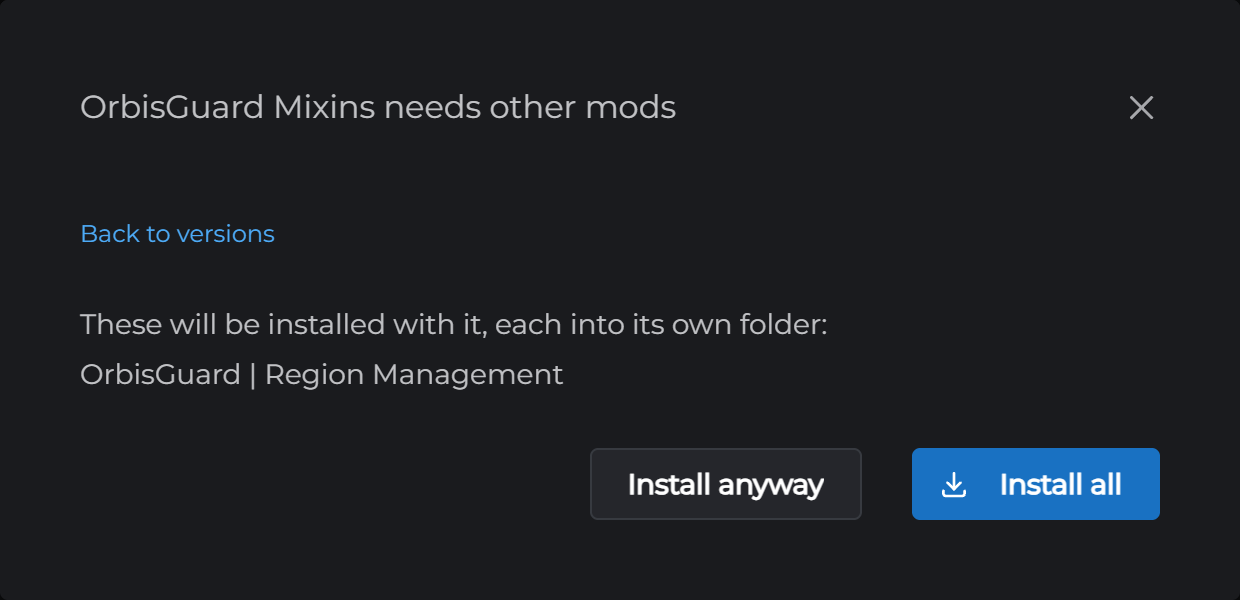
- If the mod needs other mods, you are asked before anything is installed. Install all puts each one where it belongs, including any early plugins. Install anyway installs just the mod, which is right when you already have the others
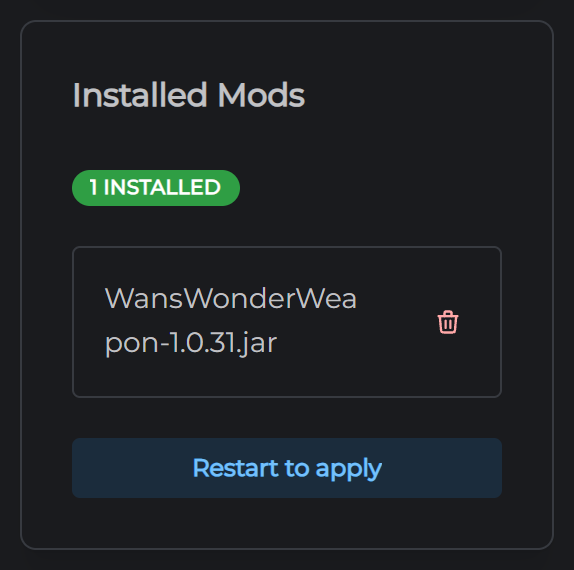
- Click Restart to apply under Installed Mods
The filter on the left narrows the list. Type switches between Mods and Early Plugins, Sort and Category work the way you would expect, and Listed for 0.6.5 only hides anything the author has not marked for your version. Most authors do not mark versions at all, so leave that off unless the list is too long to read.
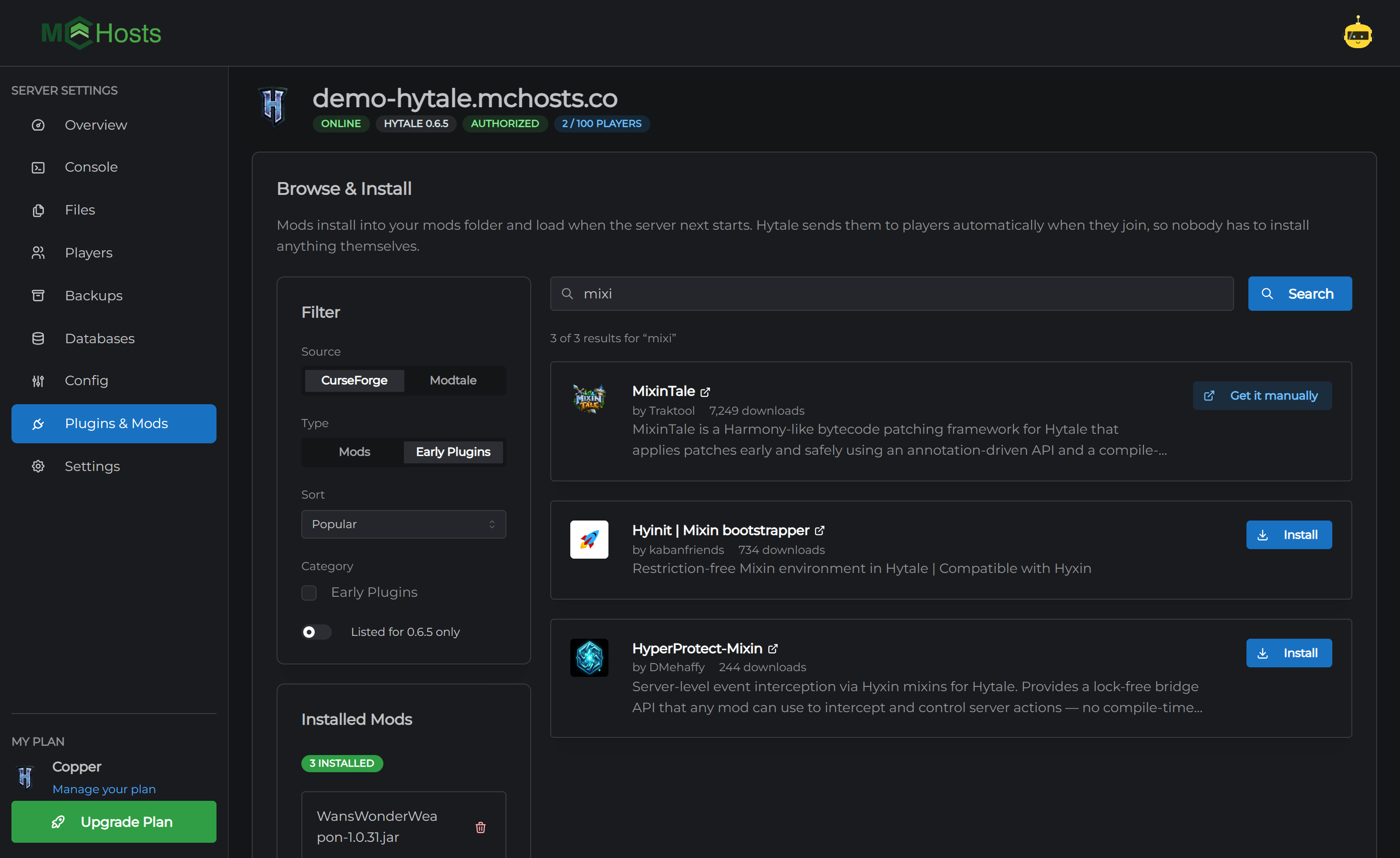
When a mod says Get it manually
Some authors do not allow other sites to download their files. Those show Get it manually instead of Install. Click it, download the file from CurseForge yourself, and upload it with Method 2.
Method 2 - Upload a mod yourself
Mods you have downloaded, or that only exist on the author's own site, go in by hand.
- Download the mod's file. It will be a
.jaror a.zip. Only take it from the author's page - Open the Files tab in your control panel
- Open the
Serverfolder, thenmods. Early plugins go inearlypluginsinstead - Click Upload Files and pick the file
- Restart the server
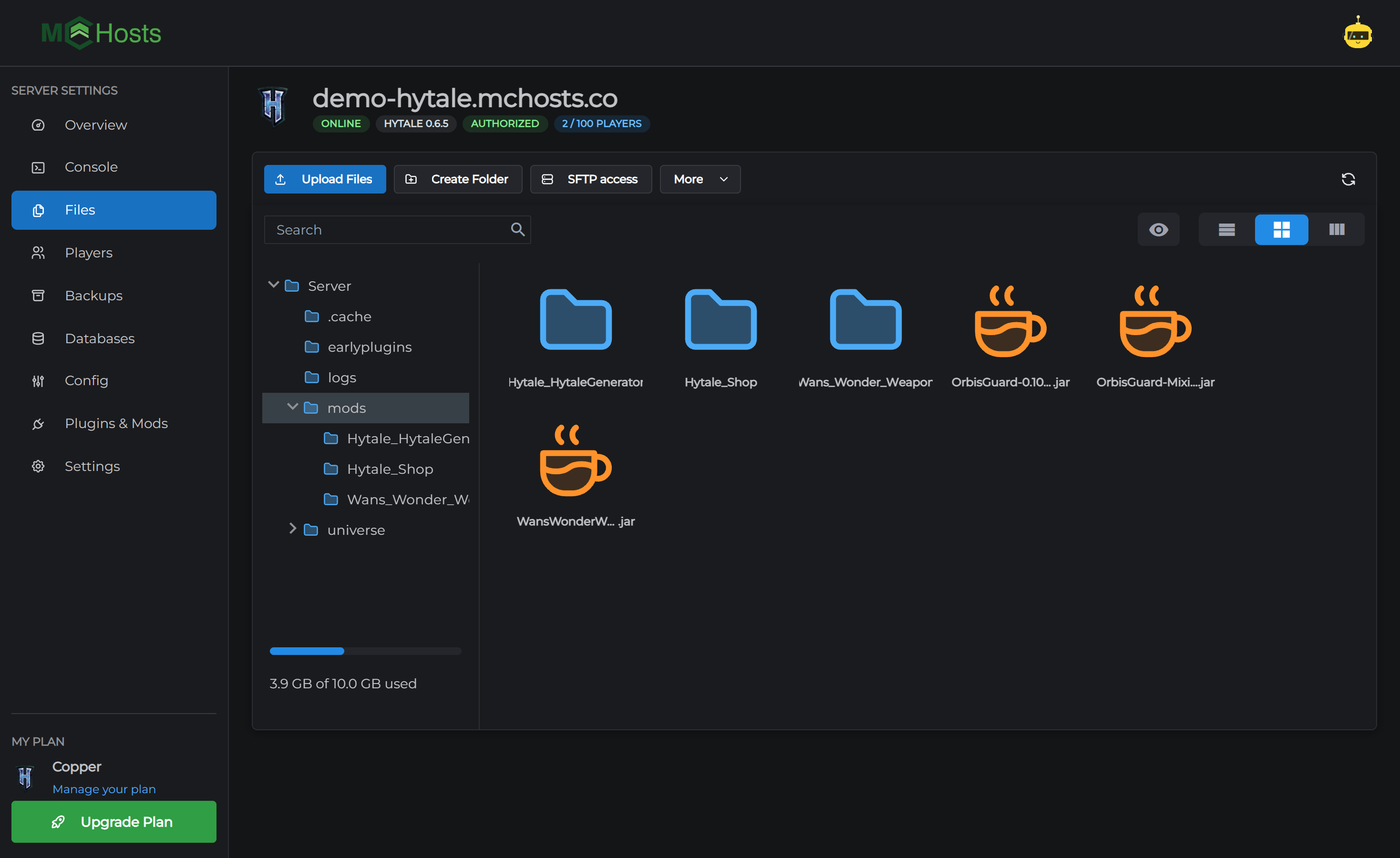
Leave the folders inside mods alone. Hytale's own systems and your mods keep their settings there, and Hytale_Shop and Hytale_HytaleGenerator belong to the game itself.
A mod's settings are plain files in its own folder under mods, so if a mod has options you want to change, open its folder in the Files tab and edit them there.
Checking it worked
After the restart, the mod appears in the Installed Mods list, and the Console shows it loading as the server starts. In-game, type /plugin list to see everything that is loaded. Your mods are the ones whose names do not start with Hytale:.
Players get the mod automatically the next time they join. If the game asks them to accept a download, that is it.
Removing a mod
Click the bin icon next to its name in Installed Mods, then Remove, then restart. Anything the mod added to your world stays where it is and may stop working, so if you are not sure, take a backup first.
Two things that trip people up
Pre-release servers. Most mods do not work on the pre-release version of Hytale. If you have switched lines in Settings, expect that.
Updates. When Hytale updates, some mods break until their authors release a new file. See Hytale updates and restarts.
If a mod will not load, the Console usually says why on startup. If it does not, open a support ticket with the mod's name and we will take a look.