Changing Your Minecraft Version
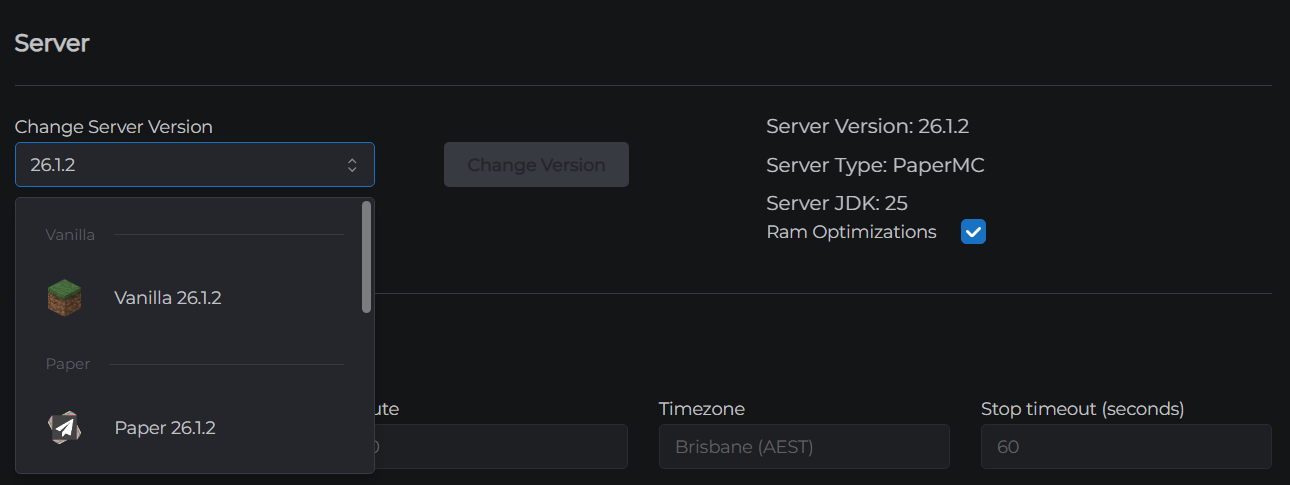
You can change your server's Minecraft version at any time from the control panel - switch between version numbers, change server software, or install a modpack.
Before you begin
Warning: Changing your server version can cause world incompatibility, especially when switching between major Minecraft versions or between Vanilla/PaperMC and modded (Forge/Fabric/NeoForge). Create a backup before changing versions.
Viewing your current version
Go to Settings → Server (the third accordion panel). Your current Server Version, Server Type, and JDK are displayed at the top of this panel.
Changing the version
- Go to Settings → Server
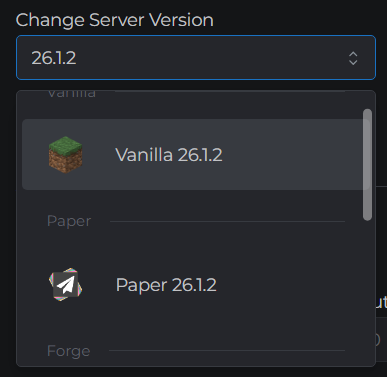
- Use the version selector dropdown to pick a new version
- Versions are grouped by software type: Vanilla, PaperMC, Forge, Fabric, NeoForge
- Use the search box inside the dropdown to find a specific version number
- Click Change Version (the red button)
- A progress overlay appears showing the steps: downloading the server JAR, applying configuration, and restarting
- The control panel reconnects automatically - this process takes 2–5 minutes
The server is unavailable during a version change. Players will be disconnected and cannot connect until the process completes.
Installing a modpack instead
Click Select ModPack (the green button) to install a modpack. See Installing a Modpack for full details.
Version compatibility notes
| Change | Risk |
|---|---|
| Same software, newer Minecraft version (e.g. 1.20 → 1.21) | Low - world usually upgrades automatically |
| Same software, older Minecraft version (downgrade) | High - world may become unloadable |
| Vanilla/PaperMC → Forge/Fabric | High - completely different runtime; existing worlds may not load |
| Forge → Fabric (or vice versa) | High - different mod ecosystems; world state not portable |
| Same software, same major version, different minor (e.g. PaperMC 1.21.1 → 1.21.4) | Low |
When in doubt, create a backup before any version change.