Download Your Server from Apex Hosting
Moving away from Apex Hosting? This guide shows you how to get your world onto your computer so you can bring it to a new server. It only takes a few minutes.
Before you start
Find out what your world is called. In the Apex panel, scroll to the World section near the bottom of the main page. The name shown there (something like mc_1_21_5_1778083) is the folder you need to download.
If you run a plugin server such as Paper, Spigot, or Purpur, there will be two extra folders next to it, ending in _nether and _the_end. Download all three, otherwise your Nether and End will be lost.
Step 1 - Stop your server
Press the red Stop button at the top of the Apex panel. Downloading a world while the server is running can give you a corrupted copy.
Step 2 - Open the file manager
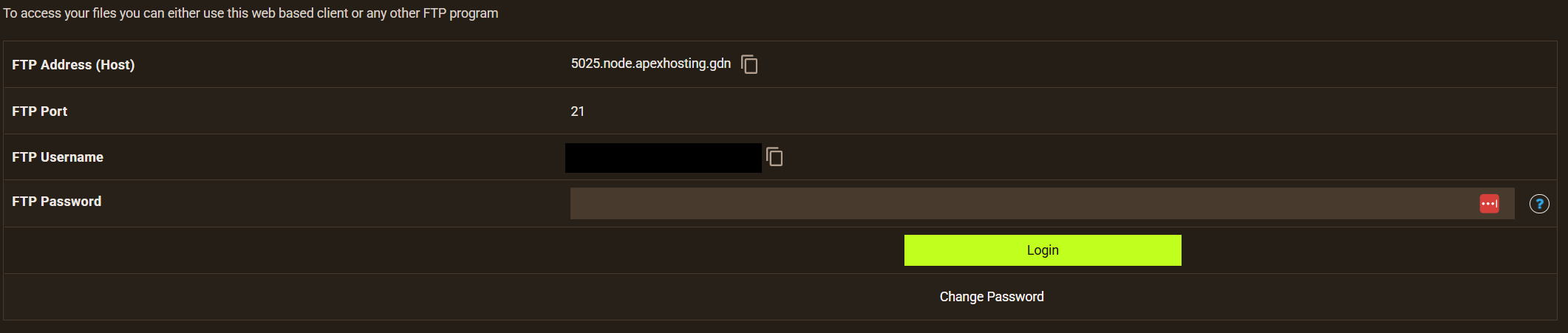
Click FTP File Access on the left side of the panel and log in with your panel password. Note that the username shown on that page can be different from your normal panel username, that is normal.
Step 3 - Zip and download your world
- Find your world folder, plus the
_netherand_the_endfolders if you have them - Hold Ctrl (or Cmd on Mac) and click each folder to select them all
- Right click the selection and choose Compress
- Give the archive a name and click Create Archive
- Right click the new
.zipfile and choose Download
Big worlds - use an FTP program instead
Downloads through the panel can time out on large worlds, roughly anything over 100 MB. For those, connect with a free FTP program such as FileZilla:
- Host and username: shown on the FTP File Access login page
- Port: 21
- Password: your panel password
Then drag your world folders from the server to your desktop.
A couple of Apex quirks
- If the file list shows several top level folders, those are Apex Server Profiles. Open the profile folder for the server you actually play on.
- Bedrock servers keep their world inside a
worlds/folder instead, in a folder named something likebedrock_server_XXXXXXX. Note that Bedrock worlds cannot be moved to a Java server.
Next step
You have your world. Head to Move Your Existing Server to MCHosts to bring it across.