Download Your Server from Stipe
Moving on from Stipe? Here is how to get your world and server files off their panel and onto your computer.
Step 1 - Stop your server
Go to My Servers in the Stipe control panel and press the red STOP button on your server. Downloading a world while the server is still writing to it can give you a corrupted copy.
Step 2 - Open the File Manager
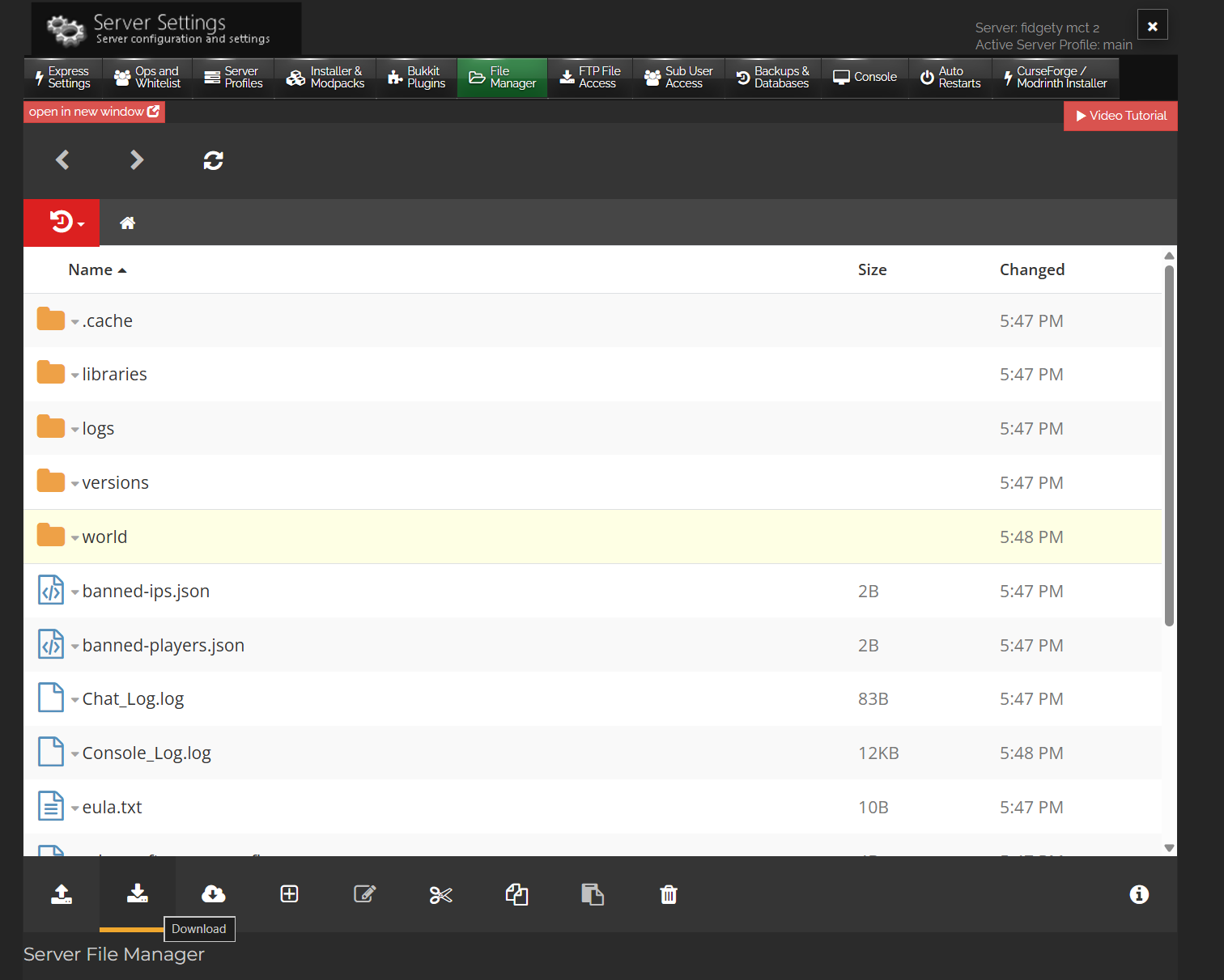
- Click Settings on your server. The Server Settings panel opens with a row of tabs
- Click the File Manager tab
Step 3 - Download your world
- Click the world folder in the file list to select it
- Press the Download button in the toolbar at the bottom of the File Manager. Your world arrives as a zip file
- On plugin servers such as Paper or Spigot, repeat this for
world_netherandworld_the_endif you see them, otherwise your Nether and End stay behind
Want your whole setup, not just the world?
If you run plugins or mods and want to keep your exact setup, grab the whole server instead. You can select the other folders and files in the File Manager and download them the same way, or use FTP for everything in one go.
For big servers, around 1 GB or more, FTP is the better route. Open the FTP File Access tab in the same Server Settings panel to see your connection details, put those into a free FTP program such as FileZilla, and drag your server files to your desktop. Zip them into one file when they finish downloading.
Worth knowing before you cancel
- Stipe bills prepaid, and their cancellation advice is simply to not pay the next invoice. Download your files before the server suspends
- Their own FAQ warns that once a server is suspended, backups may be deleted any time after 15 days
- Stipe keeps backups under the Backups & Databases tab, so if something went wrong recently, you may be able to restore a good copy there first and then download it
Next step
Files saved? Head to Move Your Existing Server to MCHosts to bring your world across.